Everything you need to launch high-converting stores
A full-stack checkout and commerce kit: production-ready storefront, cart permalink flows, sticky-powered payments & CRM, and an admin console your operators will love.
Secure by design
Built-in validation, secure sticky.io integration, and permissioned admin flows to keep sensitive paths locked down.
Launch fast
Opinionated defaults for pricing, variants, shipping, and pixels so teams can ship in days.
Plug & Launch
Powered by sticky.io for payments. Bring your own UI or use our kit—the robust backend handles the rest flawlessly.
Product pillars
Opinionated where it matters, flexible everywhere else. Each pillar is ready for real revenue.
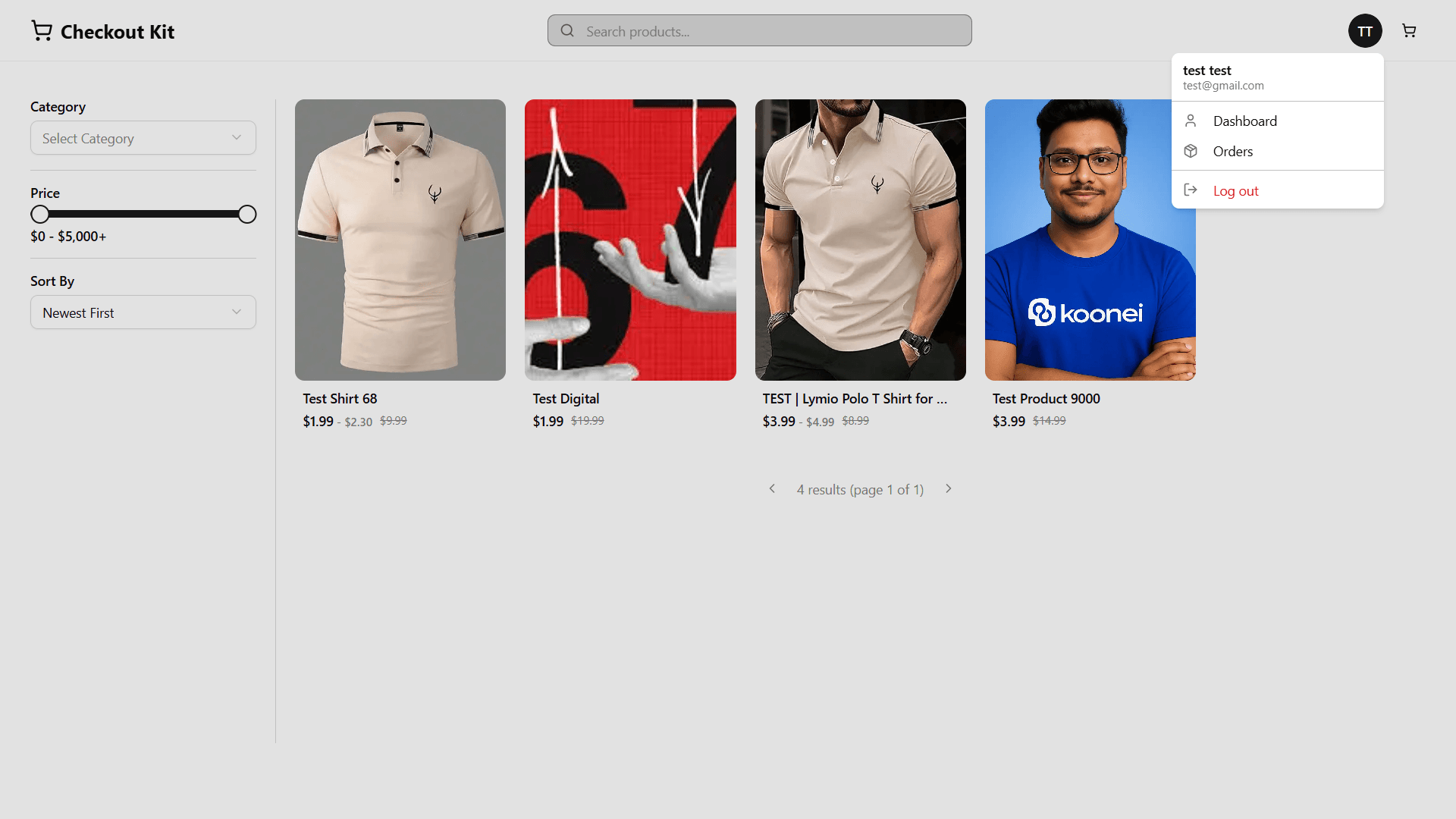
Storefront & Shop
Elegant, conversion-ready storefront pages with polished product grids, filters, and instant add-to-cart.
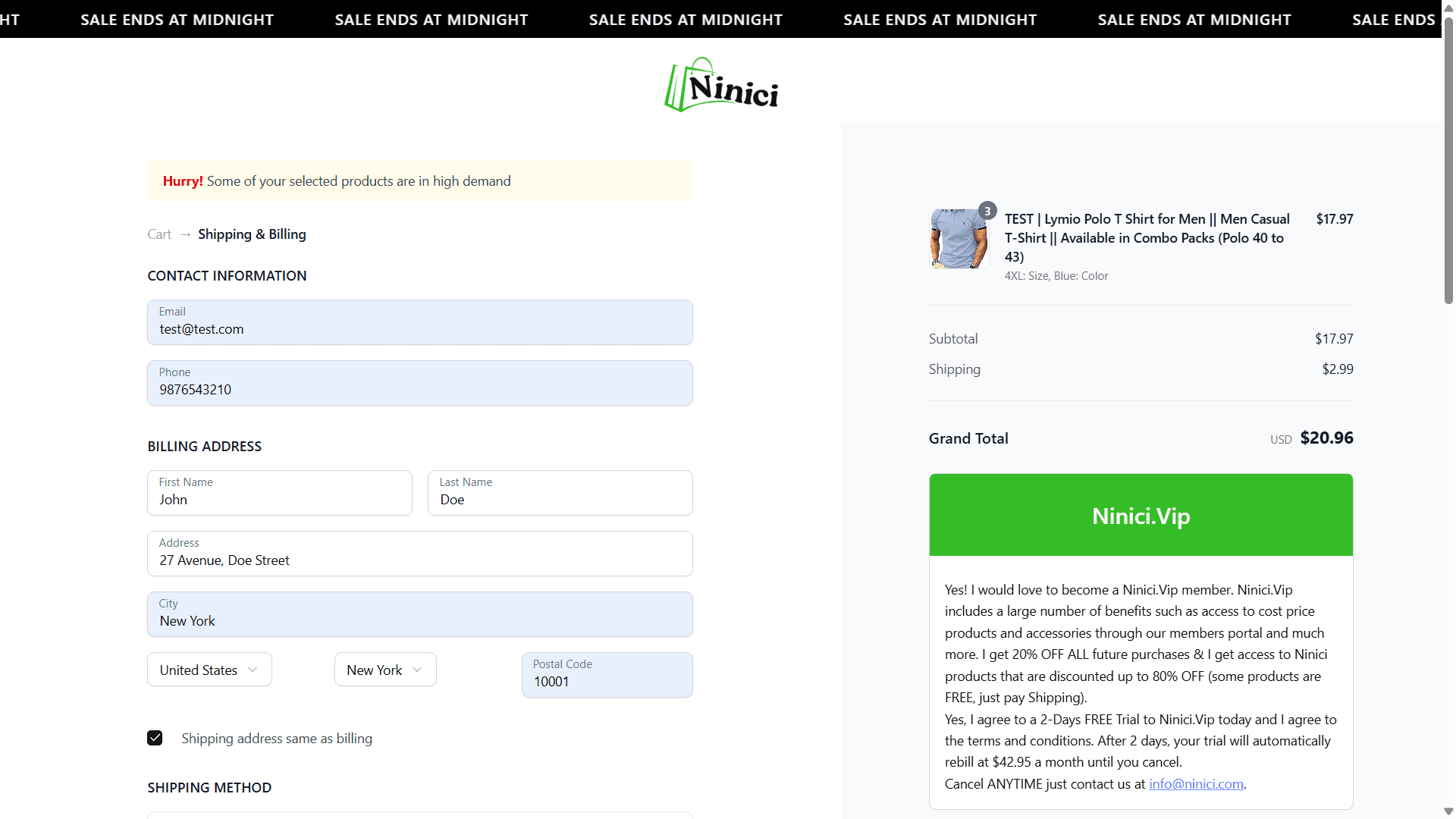
Cart Permalink
Shareable cart links that pre-fill items and variants, perfect for campaigns and personalized offers.
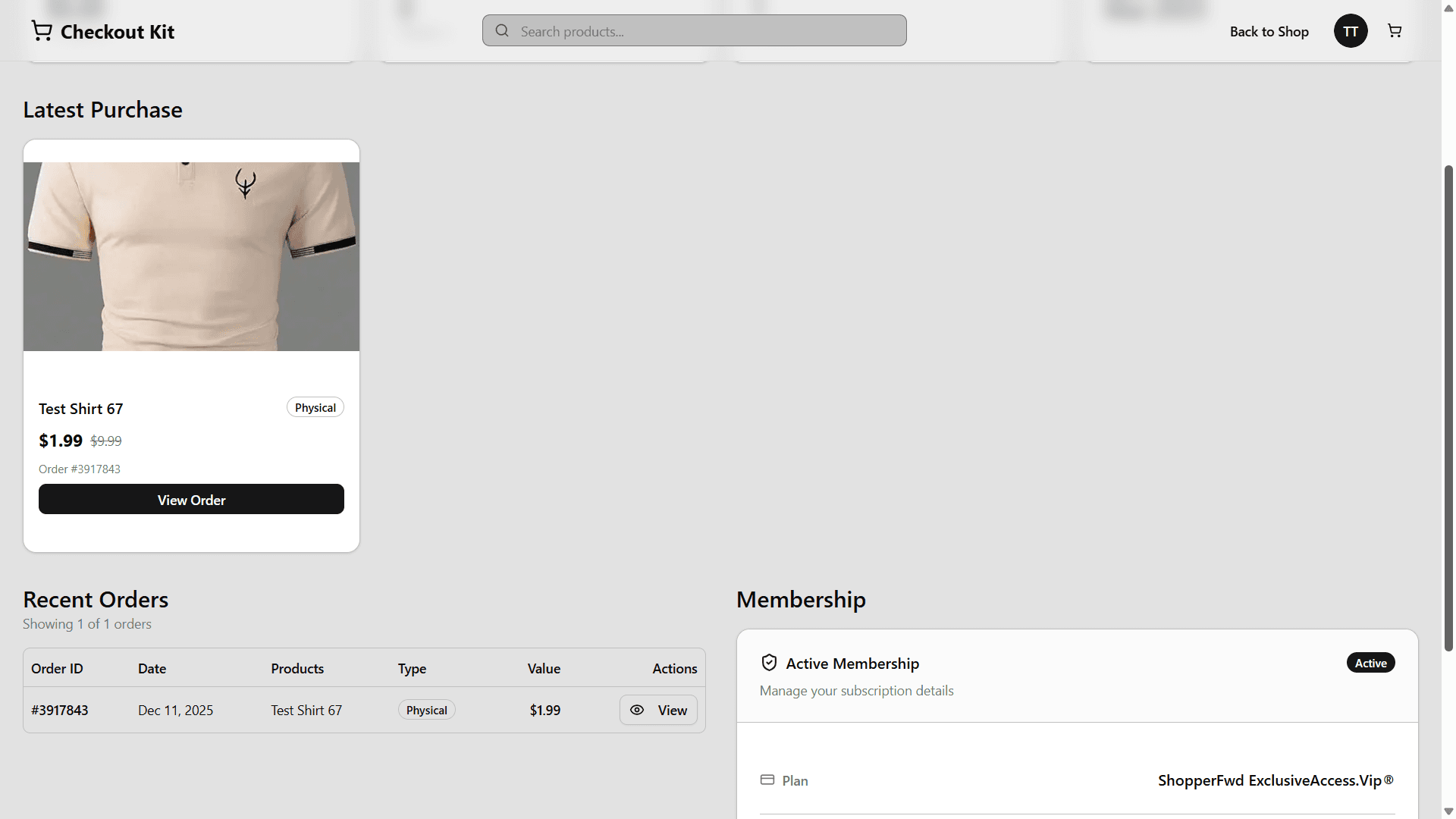
User Dashboard
A clean customer portal with orders, memberships, and account details in one view.
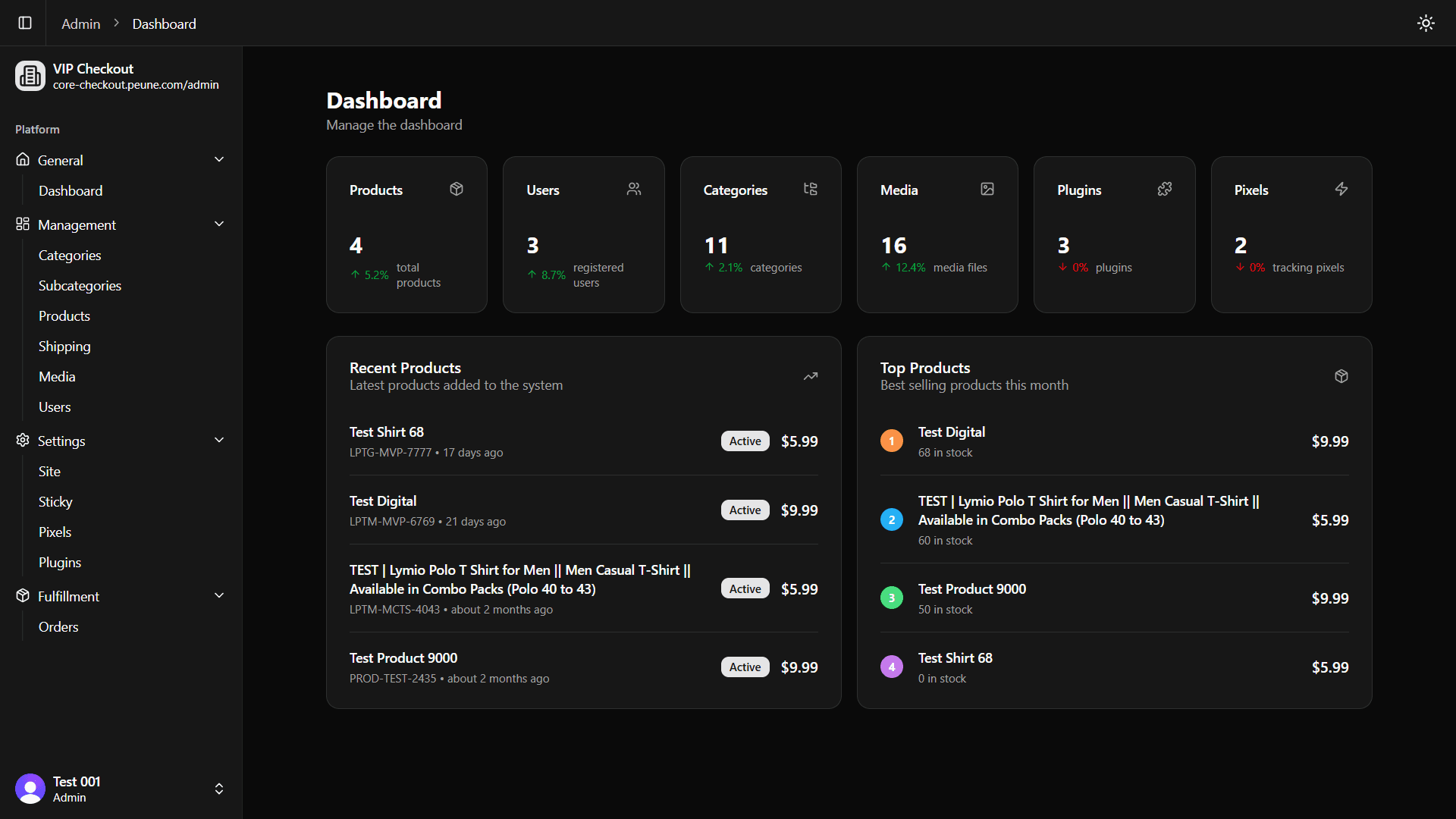
Admin Console
Operational cockpit for products, orders, pixels, shippings, users, and plugins — all in one place.
Robust backend with a plug-and-play UI layer
A typed data model (Drizzle) powers products, variants, orders, pixels, shippings, and users. The frontend ships with React Query, schema-driven forms, and reusable blocks for checkout, upsells, and order success. Swap data sources without rewriting the experience.
How to use this kit
Ship funnels fast with permalinks, plugins, and drop-in UI blocks.
Display and filter your catalog
A complete solution for displaying products with built-in filtering, sorting, and detailed product views. Powered by React Query and URL state.
1Key files & locations
Product components are organized to separate UI from logic.
apps/www/src/components/shop
Main shop grid and filtering components.
shop-products.tsx — Main grid componentuse-shop-products.ts — Hook for filtering & paginationapps/www/src/components/products
Individual product page components.
product-page.tsx — Product details layoutuse-product-page.ts — Hook for variant logic2Shop component
The ShopProducts component handles the entire product grid logic:
3URL-based filtering
State is managed via URL parameters, making results shareable and SEO-friendly.
| Parameter | Description | Example |
|---|---|---|
| categoryId | Filter by category ID | ?categoryId=cat_123 |
| minPrice | Minimum price filter | ?minPrice=100 |
| sortBy | Sort field (price/createdAt) | ?sortBy=price |
4Product details
Automatically filters images based on the selected variant color or style.
Smart selection that pre-selects valid combinations and handles out-of-stock states.
5Customization strategies
Use the hooks directly
Import useShopProducts or useProductPage to build completely custom UIs while keeping all the logic, filtering, and state management.
Extend existing components
The ShopProducts and ProductPage components are designed to be copied and modified to fit your brand's specific needs.
Pre-fill carts with shareable links
Generate URLs that automatically add products to the cart and redirect to checkout. Perfect for email campaigns, social ads, or influencer promotions.
1Link format
All cart permalinks follow this pattern:
2Usage examples
Single product, default quantity
Add one unit of a product without variants.
https://yoursite.com/processing/PROD-123:1PROD-123 with your product's stickyProductId.Product with custom quantity
Pre-set quantity for bulk offers or kits.
https://yoursite.com/processing/PROD-123:3Product with specific variant
Target a specific size, color, or option.
https://yoursite.com/processing/PROD-123:VAR-456:2stickyVariantId after the product ID. If omitted, the first variant is selected.Multiple products at once
Add several items to the cart in one link.
https://yoursite.com/processing/PROD-123:1,PROD-789:VAR-999:2,). Mix and match products with/without variants.3Quick reference
| Pattern | Description |
|---|---|
| productId:qty | Add product with specified quantity |
| productId:variantId:qty | Add specific product variant |
| item1,item2,item3 | Add multiple items (comma-separated) |
Extend functionality with plugins
Add tracking pixels, CRM integrations, payment processors, and analytics without touching core code. Plugins hook into lifecycle events and run automatically.
1Installation & management
Plugins are managed through the Admin console. You can browse, install, configure, and enable them.
Find available plugins
Navigate to Admin → Plugins → Available to see all plugins from the plugin server.
Add a plugin to your system
Click the plugin card, review details, then click "Install" to add it to your workspace.
Activate the plugin
Toggle the plugin to "Enabled" in the Installed tab to start firing hooks.
2Built-in lifecycle hooks
Client plugins auto-load via PixelProvider and fire on key events. No manual triggering needed.
| Hook | Trigger |
|---|---|
| pageView | Every route change / page load |
| onLoadCheckoutPage | User lands on checkout page |
| beforeAddToCart | Before item added to cart |
| afterAddToCart | After item added to cart |
| beforeRemoveFromCart | Before item removed from cart |
| afterRemoveFromCart | After item removed from cart |
| afterCheckoutPayloadCreated | After checkout form submitted |
3Custom event hooks
For custom events, manually call executeClientHook to run all enabled plugins that listen for your custom hook.
/hooks for server logging.Build custom checkout experiences
The checkout UI is fully customizable. Edit components, swap layouts, or build entirely new flows while keeping the same data layer and logic.
1Key files & locations
Checkout components are organized in a clear structure. Here's where to find them.
apps/www/src/components/globals/forms/checkout
Main checkout form components and logic.
checkout-form.tsx — Primary checkout UIcheckout-form-alt.tsx — Alternative themeuse-checkout.ts — Hook with all logic & stateapps/www/src/app/(marketing)/checkout
Marketing checkout page route.
2The useCheckout hook
All form state, validation, pricing, and handlers are centralized in useCheckout. Import and use it in any custom component.
3Customization strategies
Tweak existing components
Edit checkout-form.tsx to adjust styling, add fields, or reorder sections.
Clone & modify a variant
Duplicate checkout-form-alt.tsx, rename it, and customize the layout/theme while keeping the same hook.
Build from scratch
Create a new component, import useCheckout, and design your own checkout flow with custom UI/UX.